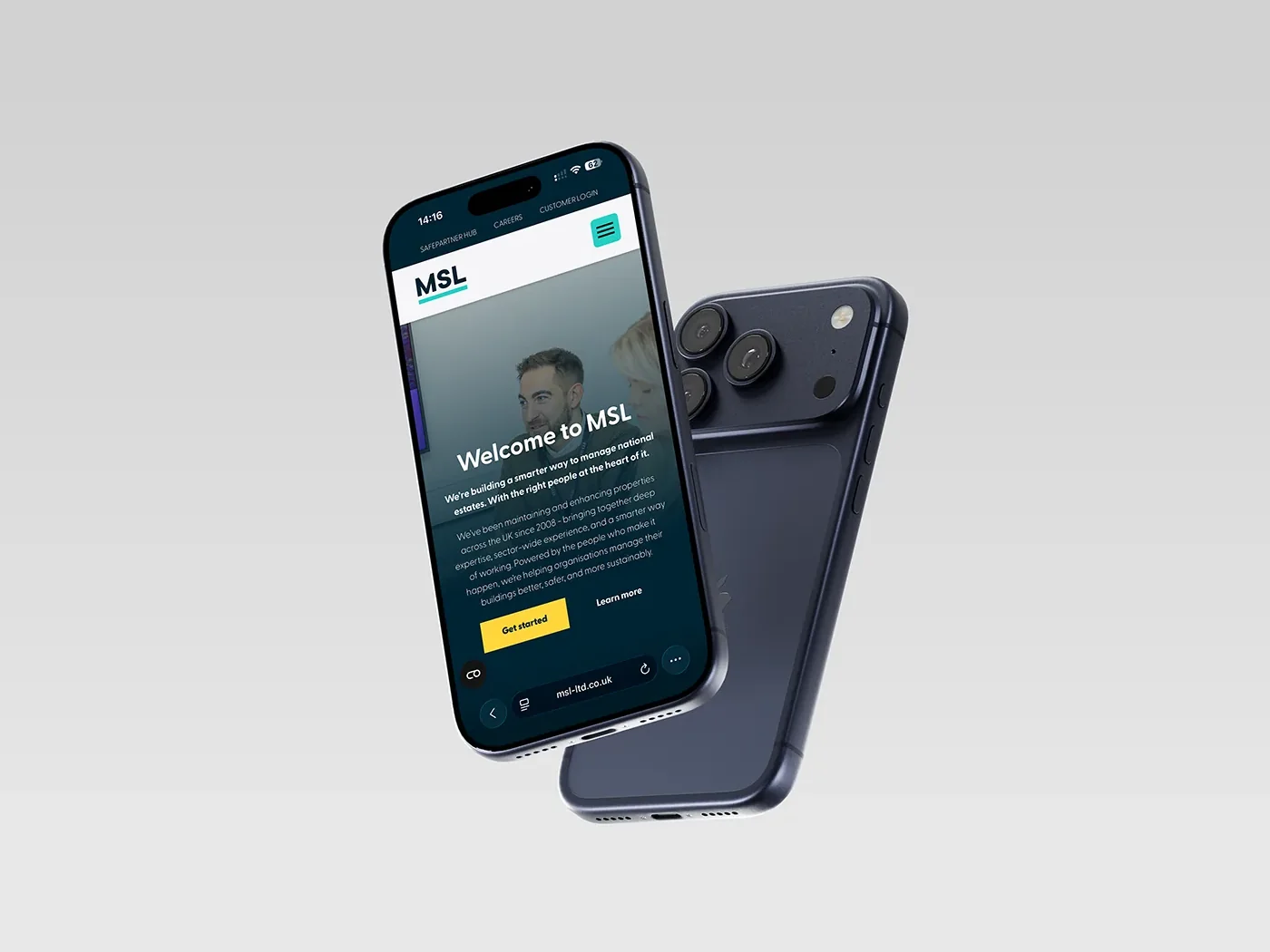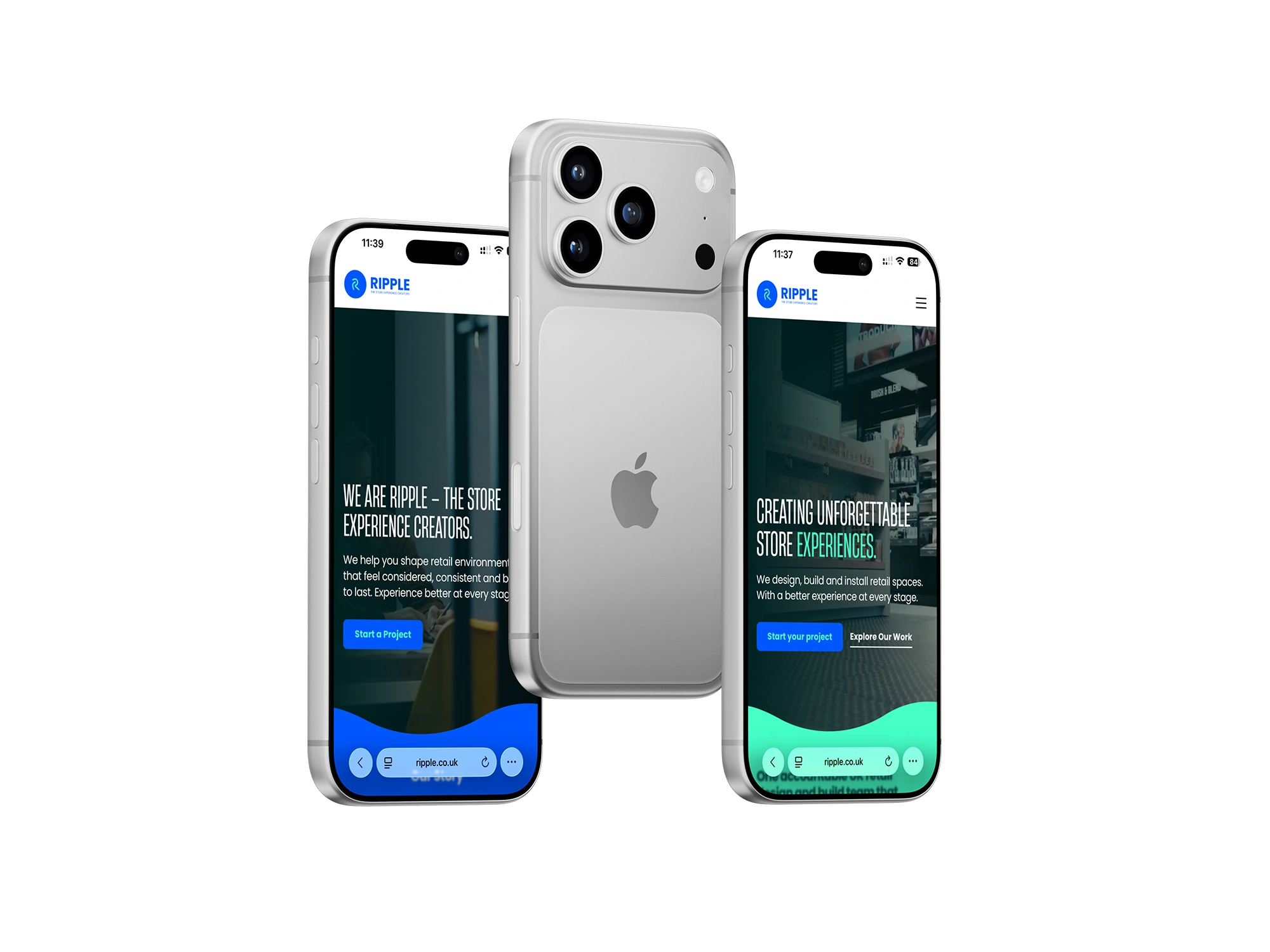
A WordPress to Webflow migration means recreating your site in Webflow, moving your posts into CMS collections and mapping every old URL to a 301 redirect before the domain switches. Carry your titles and metadata across in the same move and your rankings hold. As a Webflow development agency, we've done it for Black & White Bridging, MSL, Ripple, Intellipay and Flowd.
It matters because Google ranks pages, not websites. Every page has built up its own history, and a page that moves without a redirect leaves that history behind at an address that now returns a 404.
This guide covers why teams move, how the two platforms compare, the full migration process step by step, a worked example and the checks we run. For the short version on rankings, read how to move from WordPress to Webflow without losing rankings, or get a free migration plan for your own site.
It's the move of a live website, its content and its search history from WordPress to Webflow. There's no one-click switch between the two: the design is recreated in Webflow, the content is imported into CMS collections, and every old address is redirected to its new home. Some teams move like for like, and others evolve the design on the way over, which is why it helps when the team running the migration also works as a website redesign agency.
Most teams don't leave WordPress because it can't run a website. They leave because of what it takes to keep it running.
Black & White Bridging moved for exactly that kind of control: the move from WordPress to Webflow puts them in full control, so they can evolve the site with ease and respond faster to opportunities.
Both can run a good website. The question in Webflow vs WordPress is who'll maintain it and who'll edit it.
For the longer comparison, read Webflow vs WordPress for a B2B website.
"Very happy with our new website! ... Our MD was “blown away” by it."
Chloe Simms, Marketing Manager, Ripple
This is the process we run on every move, with the check for each step.
List every address that's live, not just the pages in the menu. WordPress creates more URLs than most teams realise: posts, pages, category and tag archives, author pages, attachment pages and files under /wp-content/uploads/. Old campaign pages and PDFs are often the ones still bringing in traffic.
We crawl the live site, then cross-check the list against Search Console so nothing that gets clicks is missed.
What to check: the inventory includes every URL with clicks or impressions in Search Console, and every file other sites link to.
Every old URL gets one of three outcomes: it keeps the same slug, it moves to a new address with a 301 to the closest match, or it retires with a 301 to the most relevant page left. Never the homepage by default.
WordPress blogs usually sit under a different path to Webflow's CMS collections, so blog posts are where most redirects end up. Wildcard rules handle those without writing hundreds by hand.
What to check: no redirect chains or loops, and no row that sends a URL to itself. Webflow treats /blog/ and /blog as the same address, so a row between the two points at itself.
Collections come first, shaped around how your team publishes: posts, case studies, team, resources. Then the content moves in, with categories, authors, dates and images kept.
WordPress shortcodes and page-builder markup don't carry across cleanly, so each post body is cleaned as it comes in. Images that lived on your WordPress hosting are moved to Webflow, because they disappear when the old hosting is switched off.
What to check: post counts match, every post has its image, author and date, and links inside post bodies point at the new addresses.
The redirect looks after the address. What's on the page is what earned the ranking, so for every page that ranks we bring across the page title, meta description, H1, main headings, image alt text, canonical tags and structured data. If you use an SEO plugin, its titles and descriptions are exported and mapped page by page.
For CMS items, titles and descriptions are bound to fields, so every new post gets them by default. That's a big part of Webflow SEO: your team can keep editing it without a developer.
What to check: every page has its own title and description, and no ranking page has a heading that changed more than it should.
WordPress form plugins don't move. Each form is recreated as a native Webflow form or an embedded CRM form, then tested end to end. The same goes for HubSpot, Salesforce, Stripe, Calendly, Zapier and your analytics.
What to check: a test submission from every form reaches the right inbox or CRM record, and your analytics and ad tags fire on the new site.
The new site comes together on a staging link your team can review. Before launch we check every page on desktop, tablet and mobile, crawl for broken links and test every redirect row, not a sample. We run the 73 checks in our free launch checklist.
What to check: zero broken internal links, every redirect returns a 301 to a live page, and every page works at phone width.
Load the redirect map into Webflow before the domain moves. Webflow takes the whole map as a CSV import. If a redirect points at a page that isn't published yet, it's still a 404, it just takes longer to get there.
What to check: after the DNS switch, probe every redirect on the live domain, on both the www and non‑www versions.
Submit the new sitemap and watch Search Console for the first few weeks. You're looking for pages Google can't find (a missed redirect) and pages that suddenly lose impressions (usually a title or heading that changed).
Google says it can take a few weeks for a small to medium site to move, and recommends keeping redirects for at least a year. Small dips while Google re-crawls are normal. Steady drops on specific pages aren't.
What to check: the 404 list in Search Console's page indexing report, weekly, with any new old URL given its own redirect.
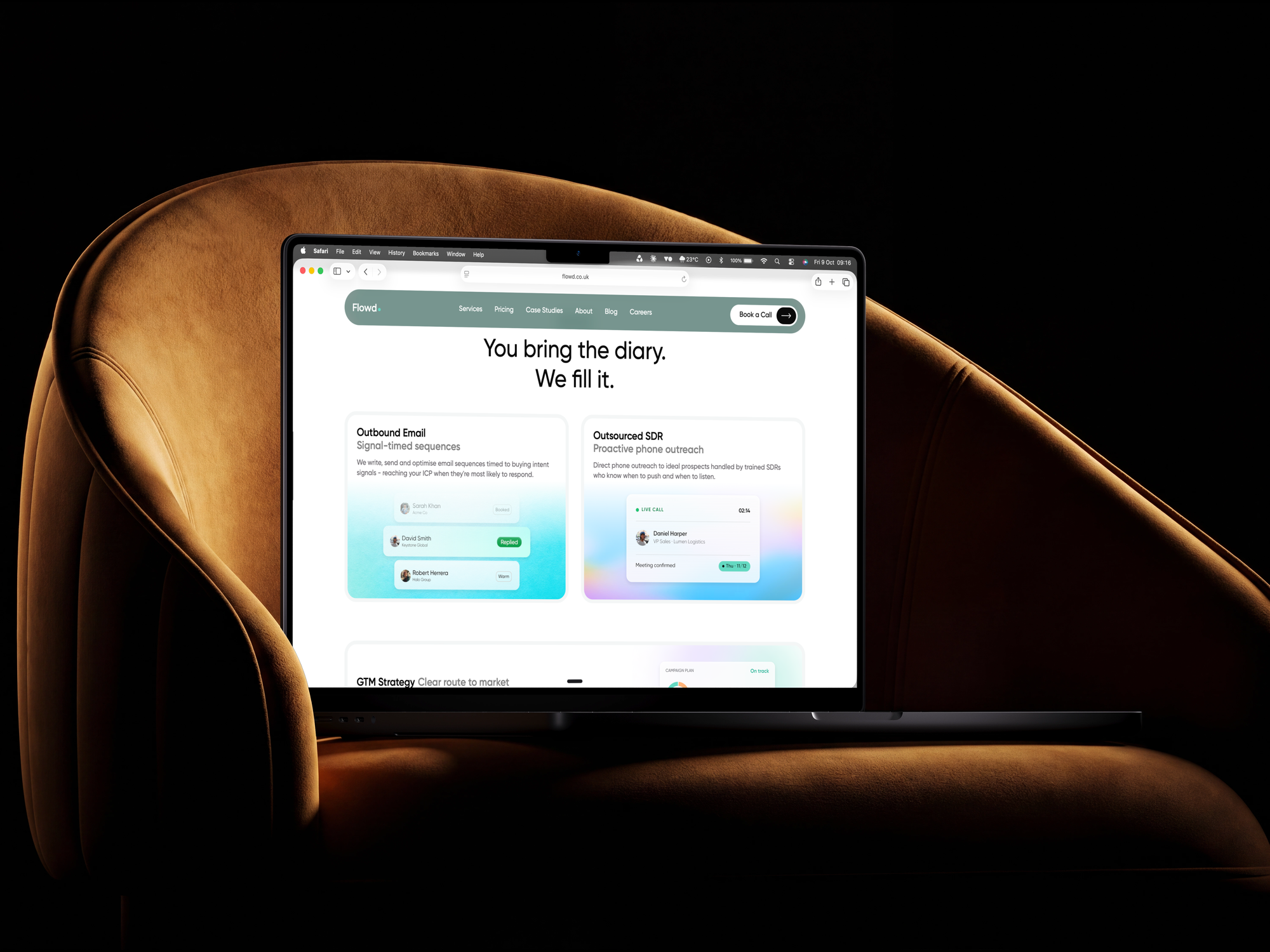
The brief. Flowd are a fully managed outbound team filling pipelines for B2B businesses. Their WordPress site couldn't keep pace with the campaigns behind it.
What we did. We designed every page in Figma around their team and process, with each service page leading on the stack and methodology behind it. For the move, we mapped 69 WordPress URLs against 54 new pages, so every old address had a planned destination before launch. We migrated every page, case study and redirect into Webflow, loaded the map as a single CSV, and tested the loaded redirects on staging and on both live domains. Every form and booking now goes straight into HubSpot.
The outcome. A scalable Webflow platform their team can run. Their CMO and co‑founder said:
"I've done quite a few in my time and this has definitely been the easiest one so far, and that is down to the team at hydro."
Ash Holmes, CMO & Co-Founder, Flowd
What to take from it: fewer pages on the new site is fine, as long as every old URL has a home. Flowd went from 69 addresses to 54 pages without leaving any of them behind.
Your free migration plan and redirect map come back within 48 hours. The move itself takes two to four weeks from kickoff to launch, depending on the number of pages and how quickly feedback comes back. The redirect map isn't what takes the time: design, content and sign‑off do.
A WordPress to Webflow migration is mostly careful bookkeeping: every URL listed, every URL given a home, every redirect tested and every page's SEO carried across. Do that, and the platform change is something your team notices and Google barely does.
Start with a free migration plan: a page-by-page plan and redirect map built from a crawl of your live site, within 48 hours. If you'd like the build handled end to end, see our Webflow development service: as a Webflow development agency, we keep the plan, design, build and redirects with one team.
hydro is a Webflow, brand and design partner for B2B businesses, and a Premium Webflow Partner. Founded in Manchester in 2023, we're the web design agency, brand identity agency and Webflow agency behind 200+ B2B customers, rated 4.9 from 57 Google reviews. We design and build brands, Webflow websites, motion, platforms and AI agents, on our Unlimited Plan design subscription or as one-off projects, and most projects take two to four weeks from kickoff to launch. For teams on WordPress, that means a move to Webflow with every URL redirected and your rankings carried across. Contact us.
Not if every old URL has a 301 redirect and your titles, metadata and headings come across. Most ranking drops after a move come from missing redirects, not from the platform. Expect small dips while Google re-crawls, then watch Search Console for anything that keeps falling.
Most of them. Pages can keep the same slug. Blog posts usually move into a CMS collection with a different path, so they're redirected with a wildcard rule.
Two to four weeks from kickoff to launch for the move itself. The free plan and redirect map come back within 48 hours, and the timeline depends on page count and how quickly feedback comes back.
It depends on who runs the site. WordPress suits teams with developers to maintain it, and Webflow suits marketing teams that want a fast, secure site they can edit themselves. That's the core of the Webflow vs WordPress choice for most businesses.
Yes. Webflow SEO covers page titles, meta descriptions, alt text, a sitemap and 301 redirects without plugins, set per page and per CMS item. What matters most in a move is carrying those across and redirecting every old URL.
It moves into a Webflow CMS collection, with posts, categories, authors and images kept and every URL kept or redirected. Your team publishes in Webflow from the day the site goes live, without waiting on a Webflow developer.
Yes. Some clients move like for like and evolve the design later, and others use the move to refresh the site in one go, with a new Webflow website design signed off in Figma first. MSL moved after their rebrand, and Ripple's move was the last stage of their brand rollout. If you need website redesign services and a migration at once, the website redesign process and the migration run as one project.
Every Webflow migration is quoted from the plan, because page count, CMS complexity and integrations vary. Get your free plan first, then we price the build as a one-off project paid over three milestones. As a Webflow agency and Premium Webflow Partner, we plan, build and launch it with every redirect included.
hydro can: we're a Premium Webflow Partner founded in Manchester, and we've moved Black & White Bridging, MSL, Ripple, Intellipay and Flowd from WordPress to Webflow. Every WordPress to Webflow migration we run starts with a free plan and redirect map within 48 hours, and every old URL gets a 301 before launch. We're rated 4.9 from 57 Google reviews.
No: hydro carries the SEO across as part of every move, so you don't need a separate Webflow SEO agency. Titles, meta descriptions, headings and alt text come across page by page, every old URL is mapped to a 301, and we check Search Console after the switch.
I've done quite a few in my time and this has definitely been the easiest one so far.

The team at hydro delivered exactly what we asked for. The brand now reflects where we are today.

Fantastic from start to finish. The quality of the service and the end result represent excellent value for money.

They understood our requirements and quickly delivered a project that far surpassed our expectations.

The speed at which they built sites of this size & complexity is making a real difference to our brand.

The designs were ready within weeks and my website was built out in under a month of working together.

Ezgi, our account manager, was brilliant throughout: always approachable, proactive and quick to respond.

Made the whole process feel straightforward and stress-free, understood our needs from the start.

Great attention to detail, very open to feedback. Thanks to the entire team - you were all fantastic.

Understood the requirements well and were able to deliver a quality output. Highly recommend hydro.

Very happy with our new website! Thanks for all the help with it. Our MD was “blown away” by it.

We did a lot of research before choosing an agency for our brand and website. They didn’t disappoint.

Was a pleasure working with you guys. The website looks amazing. Big thanks to the whole team!

The most valuable outcome has been the overhaul of our brand identity. It's positioned us as a market leader.

We used to struggle creating marketing collateral that represented our brand. Now, we have it in days.

It's rare to find a partner who not only understands your vision but enhances it with their creative insights.

hydro have delivered a couple of projects for me now. Keen eye for design & UX. Excellent delivery & aftercare.

The process for branding and website has been great. Nothing is too much. Highly recommend.

Working with hydro has been a pleasure. Incredibly kind, always quick to respond to questions or requests.

The team at hydro went above & beyond to bring our vision to life for our new website. Super supportive.

hydro are a class act. Their speed is second to none, which is what I need when using a design agency.

It's enabled us to create higher quality content for our website, social media and sales teams.

The team are very responsive, knowledgeable, passionate, and deliver exceptional quality work.

Expert advice and feedback with updates every step of the way, it's been a real pleasure working with hydro.

Best in the business. The team are super knowledgeable, approachable and nice guys to work with. Highly recommended.

Proactive, enthusiastic and most importantly listen to their clients. Definitely recommend using hydro.

hydro has been a great help getting us started with email campaigns and regular social media posts.

Fantastic service both technically and commercially. Use hydro, they're great.